Why Half the Downloads Are Fake Versions
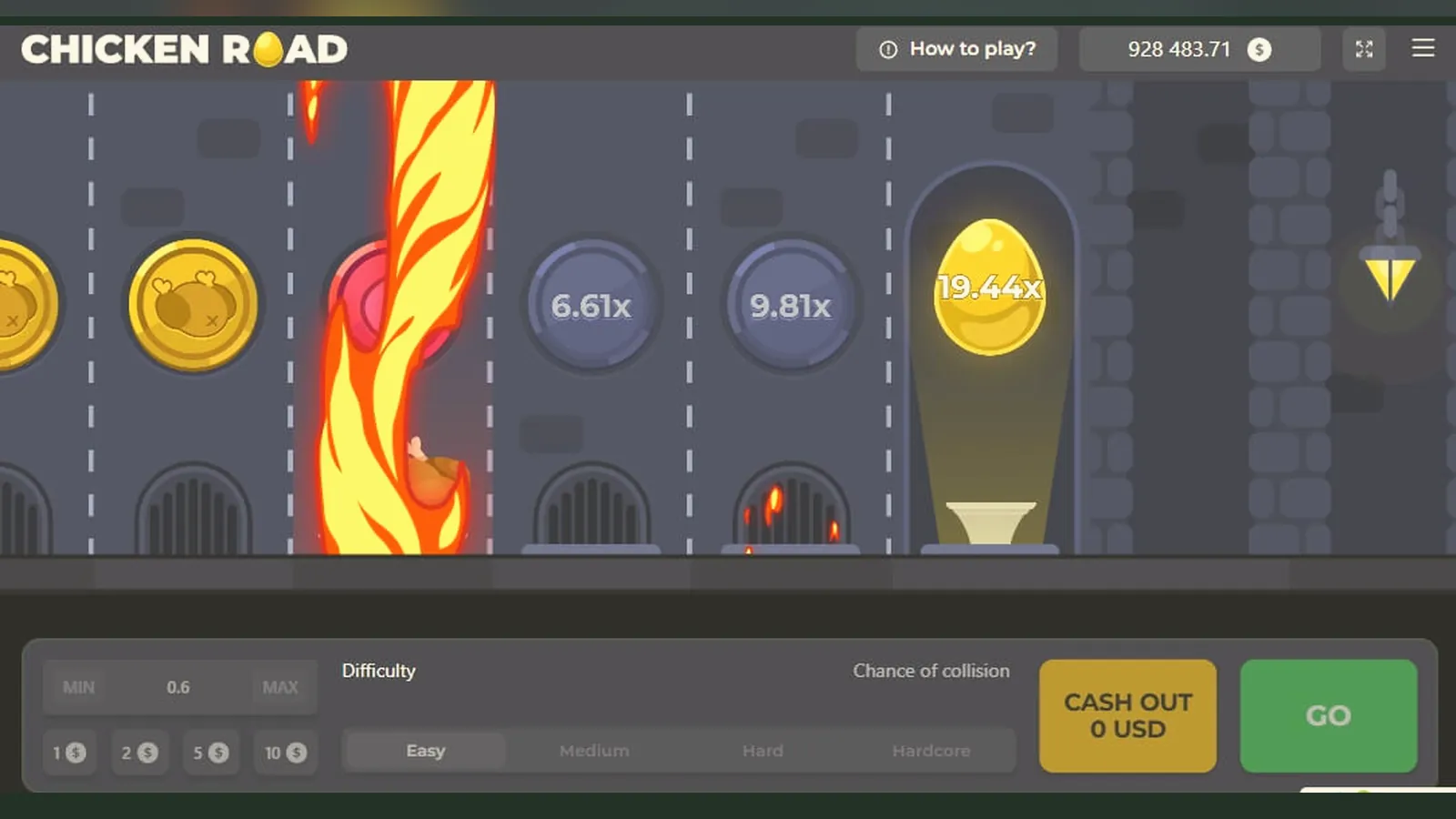
The most common mistake: searching «Chicken Road 2 APK» and landing on a third-party site that promises the «original» file. You download 47 MB of something, grant permissions to your contacts and SMS, install it — and the game either never loads or asks you to register on a domain you've never heard of. No UKGC licence in the footer, no GAMSTOP mention, and your card details are now in a database you can't audit.
The actual Chicken Road 2 runs in a browser or as a web app on every licensed UK operator that carries it. No separate APK hunt required. This page walks through the real install paths, what the interface looks like, how to spot clones, and which permissions should make you delete the file immediately.
What the Real Listing Looks Like
Chicken Road 2 isn't a standalone app in the Play Store or App Store; it lives inside the operator's casino app or mobile site. When you see a «Chicken Road 2» entry on a third-party app store or download portal, it's either repackaged content or an outright fake. Below is what a genuine listing card would show if it were a standalone game — use these numbers to cross-check any operator app that claims to host it.
Those purchase brackets reflect the UK's £5 stake cap per round — and £2 for players aged 18–24 — enforced at the operator level. If a listing shows «up to £500 per spin», it's not a British-licensed site.
Four Install Paths and Their Risks
Each method has a different risk profile. The safest route is always the operator's own site or verified app, both of which will appear in the UKGC register with a matching licence number in the footer.
- Browser play (lowest risk): visit the operator's mobile site, log in (age and identity checks before deposit), navigate to the game lobby, tap Chicken Road 2. The canvas loads in your browser; no install, no permissions. This is the default for most UK players.
- Add to home screen (low risk): while the game is open in Safari or Chrome, tap the share icon, choose «Add to Home Screen». iOS and Android create a shortcut that opens the game in a chromeless browser window. You're still on the operator's domain; it just looks like an app. No extra permissions requested.
- Operator's casino app from Play Store or App Store (low risk): download the operator's official app, which bundles dozens of slots and table games including Chicken Road 2. The app itself will ask for notifications and possibly location (to confirm you're in the UK); these are standard. The game runs inside a WebView. Check the developer name matches the casino brand and read the permission list before installing.
- APK from a third-party site (high risk): you find a file named «Chicken_Road_2_original.apk» on a forum or Telegram channel. Android lets you sideload it after enabling «Install unknown apps» in settings. The file requests contacts, SMS, phone, and storage permissions — none of which a browser-based crash game needs. This is either malware or a wrapper that funnels you to an unlicensed offshore site. The cost: potential card fraud, no legal recourse, and your GAMSTOP self-exclusion is bypassed because the site isn't in the UK register.
What You'll See on Screen
Chicken Road 2's interface is consistent across devices, though button sizes adjust for thumbs on a five-inch screen. Here's what the real version looks like:
- Launch screen: the logo animates for two seconds, then you see the main game canvas — a cartoon chicken at the bottom, a rising multiplier bar in the centre, and your balance in GBP at the top left. The stake input and «Bet» button sit at the bottom. No pop-ups asking for permissions, no redirects to a different domain.
- Game canvas: the chicken walks upward as the multiplier climbs (1.00×, 1.50×, 2.00×…). You tap «Cash Out» to lock in your multiplier before the chicken crosses the road and the round ends. If you don't cash out in time, your stake is lost. The history panel on the right shows the last 20 rounds' final multipliers — transparency, not a promise.
- Settings and limits: tap the three dots in the top right to open the menu. You'll find sound toggles, game rules (RTP, max win), your session time, and links to deposit limits, reality checks, and GAMSTOP. A legitimate operator embeds these tools directly in the game interface; fakes either omit them or link to generic «responsible gaming» pages with no UKGC branding.
- Cashier integration: tapping your balance opens the deposit screen. You'll see debit card (Visa, Mastercard), PayPal, Apple Pay, Trustly, and paysafecard — the standard UK payment rails. Credit cards have been banned for gambling since 2020, so if the list includes «credit card», you're on an unlicensed site. Withdrawals show estimated times: e-wallets in a few hours, Faster Payments same day to two working days, debit card one to three working days. First withdrawal takes longer — 24 to 48 hours for KYC document checks.
- Stake caps in action: if you try to enter £6.00 in the stake box, the interface clamps it to £5.00 and shows a tooltip: «Maximum stake per round». If you're aged 18–24 and verified as such during registration, the cap is £2.00. This is a legal requirement under the UKGC's rules on young-adult players.
These five screens — launch, canvas, settings, cashier, and stake controls — are where you spend your time. If any of them look different (no GBP, no GAMSTOP link, no stake cap enforcement), you're not on a licensed site.
Phone Requirements and Performance
Chicken Road 2 is a lightweight HTML5 game, not a native app, so it runs on nearly any device made in the last five years. Minimum specs:
- Android 8.0 or later, with Chrome 90+ or the operator's app
- iOS 13 or later, with Safari or the operator's app
- 2 GB RAM (the game itself uses ~60 MB; the browser or app takes the rest)
- 50 MB free storage if you're installing an operator app; zero additional storage if playing in the browser
- Stable 3G connection minimum; 4G or Wi-Fi recommended to avoid lag during the cash-out window
The game's frame rate is capped at 60 FPS on high-end phones and 30 FPS on older hardware. This doesn't affect fairness — the server determines the outcome before the animation starts — but a dropped frame during your cash-out tap is frustrating. If you're on a five-year-old device, expect the occasional stutter. That's not a bug; it's the hardware limit.
Battery drain is modest: about 8–10% per hour of active play on a typical phone. The game doesn't run in the background; closing the tab or app stops all activity.
Version Notes and What Changed
The current version, 2.1.4 (updated 18 October 2026), introduced three changes:
- Auto-cashout presets: you can now set a target multiplier (e.g., 2.00×) and the game cashes out automatically when reached. Previously, every round required a manual tap. Useful if you're chasing a specific return and don't want to watch every second.
- Session timer in the top bar: shows elapsed play time and triggers a reality check every 60 minutes. This is part of the operator's safer-gambling obligations; you can't disable it on a UKGC-licensed site.
- Optimised canvas rendering for Android 14: frame drops on Pixel and Samsung devices running Android 14 were fixed. If you updated your phone in the last month and noticed the multiplier bar stuttering, this patch resolves it.
Earlier versions (2.0.x) had a bug where the cashier button would grey out if you switched apps mid-round. That's been patched. If you're still seeing it, clear your browser cache or update the operator's app.
Spotting Fakes and Permission Red Flags
Fake clones prey on search terms like «Chicken Road 2 APK download» and «original game file». They mimic the logo, copy the interface, then funnel you to an unlicensed site or inject malware. Here's how to identify them before you install:
- Developer name mismatch: the real game is provided by a licensed studio and hosted by a UKGC-regulated operator. If the Play Store or APK listing shows a developer called «CrashGames Ltd» or «Lucky Chicken Studio», it's not official. Cross-check the operator's website — they list their game providers.
- Permission requests: a browser-based game needs zero device permissions. An operator's casino app might ask for notifications (to alert you of bonuses) and location (to confirm UK jurisdiction). Anything beyond that — contacts, SMS, phone, camera, microphone, storage — is a red flag. Deny and uninstall.
- File size discrepancy: the real web app wrapper is ~12 MB. If the APK is 47 MB or 89 MB, it's bundling extra code. That code is either adware or credential theft.
- No UKGC licence in the footer: open the site or app, scroll to the bottom. You should see «Licensed and regulated by the UK Gambling Commission» with a licence number (format: 000-000000-X-000000-XXX). Look it up in the UKGC public register. If the footer says «Curaçao eGaming» or shows no regulator at all, it's an offshore site and illegal to market in the UK.
- Bypassing GAMSTOP: if you're self-excluded via GAMSTOP and the site lets you register anyway, it's unlicensed. GAMSTOP blocks every UKGC operator for six months to five years, depending on your choice. No legitimate site can override it.
The cost of using a fake: no legal recourse if the site refuses to pay, your card details sold to third parties, and your self-exclusion bypassed. The savings from avoiding KYC checks aren't worth it.
FAQ
Can I play Chicken Road 2 without downloading anything?
Yes. The game runs in your mobile browser on any UKGC-licensed operator's site. Log in, navigate to the crash-games section, tap the game tile, and it loads in a few seconds. No install, no permissions, no storage used. The «add to home screen» option in Safari or Chrome creates a shortcut that opens the browser version in a chromeless window — it looks like an app but doesn't require a separate download.
Why do some APK sites ask for SMS and contacts permissions?
Because they're not the real game. Chicken Road 2 is an HTML5 crash game that runs in a browser or WebView; it has no reason to access your messages or contact list. Those permissions are used to harvest data or send premium-rate texts. If an APK requests anything beyond notifications and location, delete it. Stick to the operator's verified app from the Play Store or App Store, or play in the browser.
How long does the first withdrawal take, and why is KYC required?
Your first withdrawal typically takes 24 to 48 hours because the operator must verify your identity and address with documents (passport or driving licence, and a recent utility bill). This is a UKGC requirement to prevent money laundering and underage gambling. After the initial check, e-wallet withdrawals clear in a few hours, and Faster Payments to your bank arrive same day to two working days. Debit-card withdrawals take one to three working days. The payment method must be in your own name — credit cards have been banned for gambling since 2020.
What happens if I try to bet more than £5.00 per round?
The interface clamps your stake to £5.00 and shows a message explaining the cap. This is the legal maximum per spin on UK slots and similar games. If you're aged 18–24, the cap drops to £2.00. The limit is enforced at the server level; you can't bypass it by editing the stake box. Unlicensed sites either ignore the cap or don't enforce it, which is one way to identify them — but using those sites puts you outside UK consumer protections and GAMSTOP coverage.